How do I disable automatic payment?

Membership fee payment on SportMember

- Pay membership fees to the club directly via your SportMember app with a credit or debit card


- Activate automatic payment so you don't have to pay your membership fees manually.


- Avoid reminders


- If you leave the club, automatic installment payments will stop by themselves
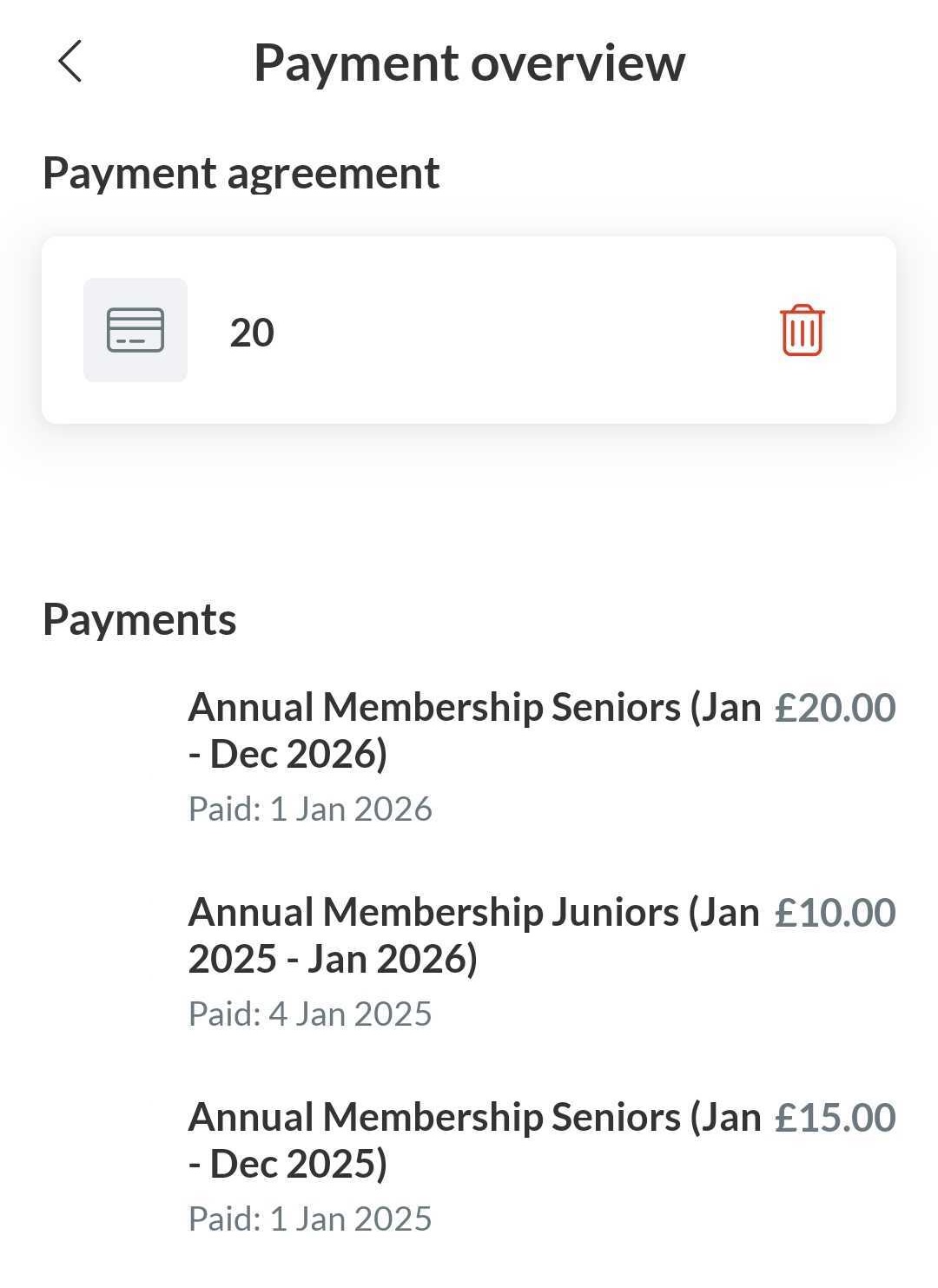

From the app, you can delete your payment method to disable automatic payments


  1. Press Menu and in the right down corner
  2. Then press Settings and Payment overview
  3. Then press the red dustbin icon to remove your payment method


You will no longer be charged automatically.


Note: you have to do it from the profile that is connected as a member to the club (not from the parent profile)


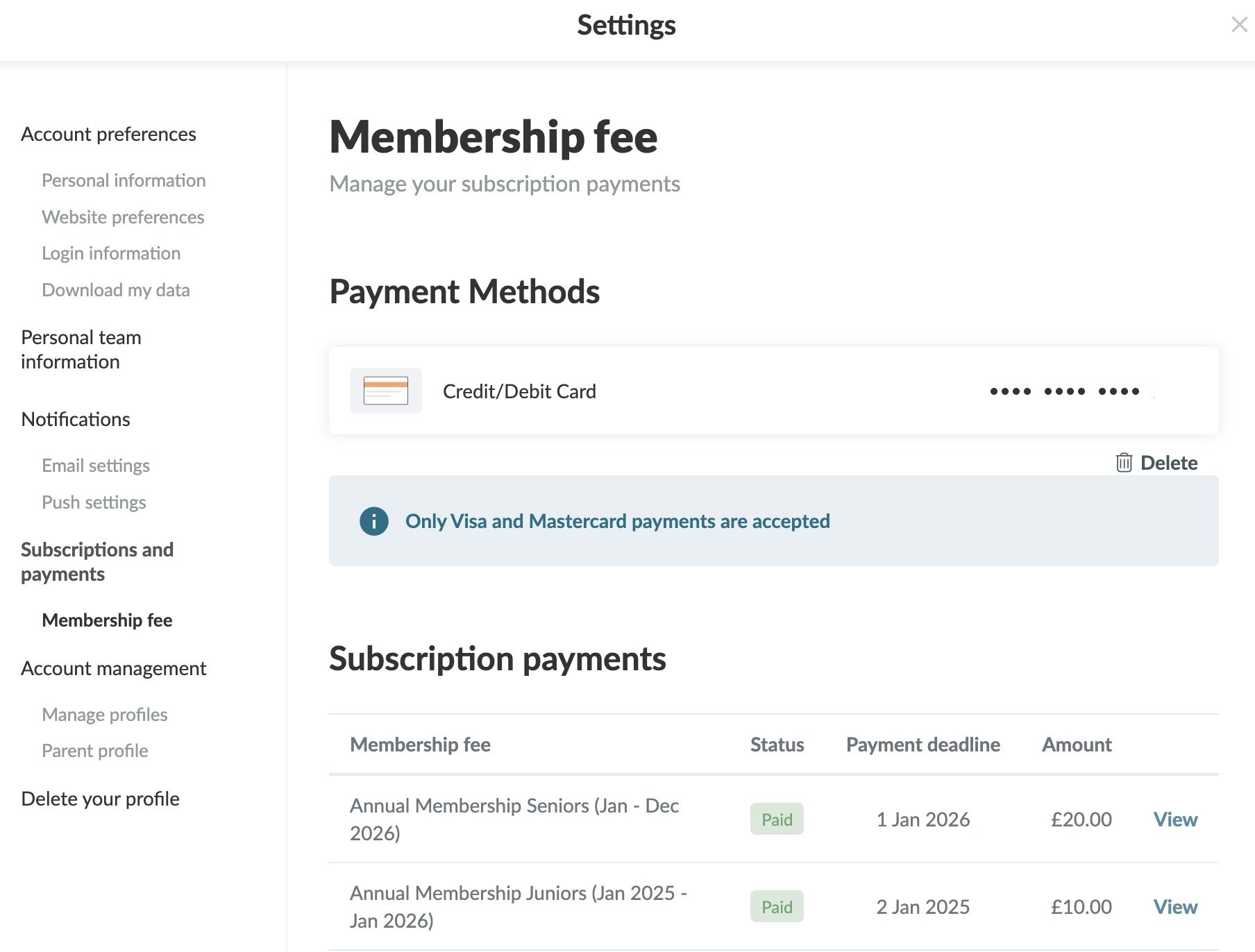
From your settings, you can delete your payment method for automatic payments

  1. Click on Tools and Profile settings in the bottom left corner
  2. Then click on Membership fee
  3. Click on on the dustbin icon to remove your payment method

You will no longer be charged automatically


Note: you have to do it from the profile that is connected as a member to the club (not from the parent profile)

Cet article vous a-t-il été utile ?
0 sur 0 ont trouvé cela utile

Prêt à commencer ?

Découvrez sportmember ou créez un compte dès maintenant pour commencer la gestion sportive de votre club ou association. Et si besoin, contactez-nous, on sera ravis de vous aider à démarrer !
Combien ça coûte ?
Quels sont les besoins de votre club ? Abonnement Basique ou PRO ?
Prix
Aperçu des fonctions
Il n’y a pas deux clubs identiques — notre logiciel de gestion sportive s’adapte à chaque association
Aperçu des fonctions